前言
因工作原因,最近接手一个Vue的后台管理项目,发现它使用的不是Vue官网推荐的标准写法,而是使用JSX,我以前也有在Vue项目中使用过JSX,但那都是二年前的事了,忘的差不多了,今天特意抽时间写文章记录一下
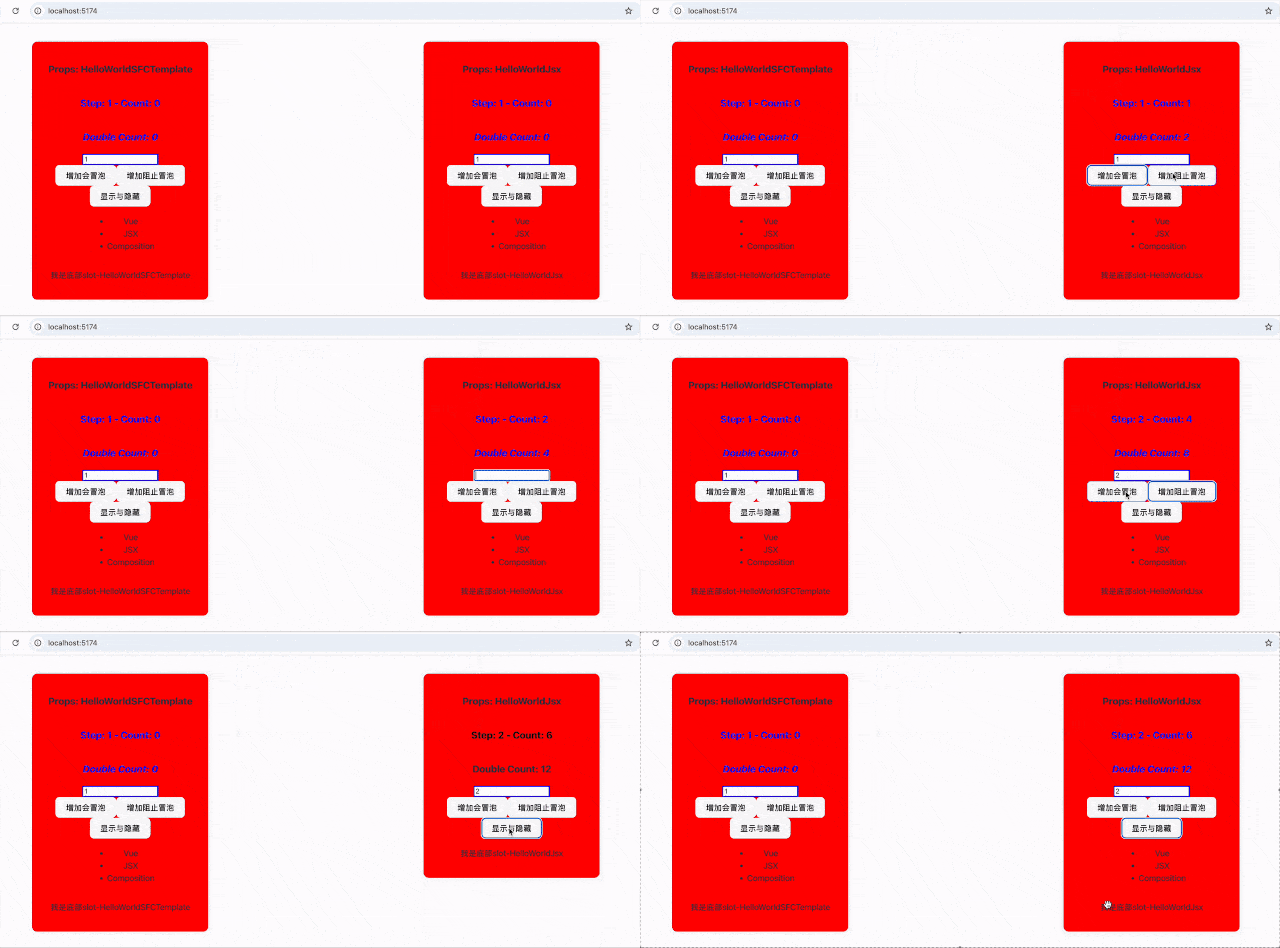
今天的做法是我先用Vue标准模板语法实现一个组件,组件尽量用到Vue开发最常用的功能,再用JSX语法重写该组件,以此知道二者区别的同时掌握用JSX写Vue项目
JSX?
JSX(JavaScript XML)是一种 JavaScript 的语法扩展,允许我们在 JavaScript 代码中编写类似 HTML 的结构。它最初由 React 团队提出,用于更直观地描述 UI 组件
标准模板语法写法
下面是我用Vue标准模板语法实现的一个组件,关键代码如下:- <template>
-
- <h3>Props: {{ msg }}</h3>
- <h3 :>Step: {{ step }} - Count: {{ count }}</h3>
- <h3 :>Double Count: {{ doubleCount }}</h3>
- <input
- type="text"
- v-model.number="step"
- v-highlight
- />
-
- <button @click="increment">增加会冒泡</button>
- <button @click.stop="increment">增加阻止冒泡</button>
-
- <button @click="toggle">显示与隐藏</button>
- <ul v-if="state.isActive">
- <li v-for="item in state.items" :key="item">{{ item }}</li>
- </ul>
- <slot name="footer" :msg="msg"></slot>
-
- </template>
用JSX重写
实现一个功能一模一样的同样功能组件,但是是使用JSX语法重写,关键代码如下:- import { defineComponent, ref, reactive, computed, onMounted, watch, withModifiers, withDirectives } from 'vue'
- import styles from './HelloWorldJsx.module.css'
- // 定义自定义指令
- const vHighlight = {
- mounted(el) {
- console.log('vHighlight mounted')
- el.style.border = '2px solid blue';
- }
- }
- export default defineComponent({
- props: {
- msg: String
- },
- directives: {
- highlight: vHighlight
- },
- setup(props, { emit, slots }) {
- // setup中定义指令
- // const vHighlight = {
- // mounted(el) {
- // console.log('vHighlight mounted')
- // el.style.border = '2px solid blue';
- // }
- // }
- const state = reactive({
- items: ['Vue', 'JSX', 'Composition'],
- isActive: true
- })
- const toggle = () => {
- state.isActive = !state.isActive
- }
- const count = ref(0)
- const step = ref(1)
- // 计算属性
- const doubleCount = computed(() => count.value * 2)
- // 事件处理函数
- const increment = () => {
- console.log('---- increment ----:', );
- count.value += step.value
- emit('count-change', count.value)
- }
- const parentClick = () => {
- console.log('---- parentClick ----:', );
- alert('parent click')
- }
- // 监听 count 的变化
- watch(() => count.value, (newVal, oldVal) => {
- console.log(`${props.msg} count changed from ${oldVal} to ${newVal}`)
- })
- // 生命钩子
- onMounted(() => {
- console.log(`${props.msg} 组件已经挂载`)
- })
- return () => (
-
- <h3>Props: {props.msg}</h3>
- <h3 style={{color: state.isActive ? 'blue' : 'black'}}>Step: {step.value} - Count: {count.value}</h3>
- <h3 class={[state.isActive ? styles['double-count-activejsx'] : '']}>Double Count: {doubleCount.value}</h3>
- {/* setup中定义指令使用
- {withDirectives(
- <input
- type="text"
- v-model={[step.value, ['number']]}
- />
- , [[ vFocus, true]])} */}
- <input
- type="text"
- v-model={[step.value, ['number']]}
- v-highlight
- />
-
- <button onClick={increment}>增加会冒泡</button>
- <button onClick={withModifiers(() => increment(),['stop'])}>增加阻止冒泡</button>
-
- <button onClick={toggle}>显示与隐藏</button>
- {
- state.isActive && <ul>
- {state.items.map(item => (
- <li key={item}>{item}</li>
- ))}
- </ul>
- }
- {slots.footer && slots.footer({msg: props.msg})}
-
- )
- }
- })
- .containerJsx{
- background-color: red;
- padding: 20px;
- border-radius: 10px;
- box-shadow: 0 0 10px rgba(0, 0, 0, 0.1);
- width: 300px;
- display: flex;
- flex-direction: column;
- justify-content: center;
- align-items: center;
- text-align: center;
- }
- .double-count-activejsx{
- color: blue;
- font-style: italic;
- }
对比分析
JSX语法SFC模板语法() => (...)...{props.msg}{{ msg }}{count.value}{{count}}style={{color: state.isActive ? 'blue' : 'black'}}:class={[state.isActive ? 'double-count-activejsx' : '']}:onClick={increment}@click="increment"onClick.stop={increment}onClick={withModifiers(() => increment(),['stop'])}v-model={[step.value, ['number']]}v-model.number="step"{state.isActive && ...}v-if="state.isActive"{state.items.map(...)}v-for="item in state.items"{slots.footer && slots.footer({msg: props.msg})}import styles from './HelloWorldJsx.module.css'
- 其中有用到自定义指令,如果是通过directives注册的当前组件或者全局的使用方式二者是一样的,但是如果你是定义在setup里的,那使用的时候你得依赖withDirectives来使用,具体查看JSX改写里的指令注释部分
- 对于事件修饰符除了可以使用上面的withModifiers来实现,看着比较复杂但是是官方提供的方法,如果不想用,完全也是可以通过手写代码如e.stopPropagation()/e.preventDefault()等来实现
- 标准的JSX在使用class的只能用className,但是在Vue项目中使用jsx并没有这个要求,正常使用 class即可
- Vue默认就支持CSS模块化,style标签上增加scoped即可,JSX只能通过业务有名的CSS模块化方案,如CSS Modules/CSS in JS,此文介绍的是CSS Modules方案
如果你想跑一下测试demo,可以新建一个基础的Vue项目再把我写的二个组件的代码拷贝进去,或者可以拉取我的项目,再本地跑跑即可,仓库地址:https://gitee.com/github-9819409/vue-template-jsx
小结
本文是个人练习JSX写Vue项目的记录,并不是说JSX写法比Vue标准模板写法要好,具体是用Vue标准模板语法写法还是JSX,这个首先看个人喜好,其次开发经常会接手一些前辈的项目,考虑你接手的项目的写法
个人的知识和能力是有限的,应该还有一些JSX高级用法我没有提到,如果有不对的地方或者你有更好的建议,希望不吝留言分享,一起学习一起进步
来源:程序园用户自行投稿发布,如果侵权,请联系站长删除
免责声明:如果侵犯了您的权益,请联系站长,我们会及时删除侵权内容,谢谢合作! |


 提升卡
提升卡 置顶卡
置顶卡 沉默卡
沉默卡 喧嚣卡
喧嚣卡 变色卡
变色卡 千斤顶
千斤顶 照妖镜
照妖镜